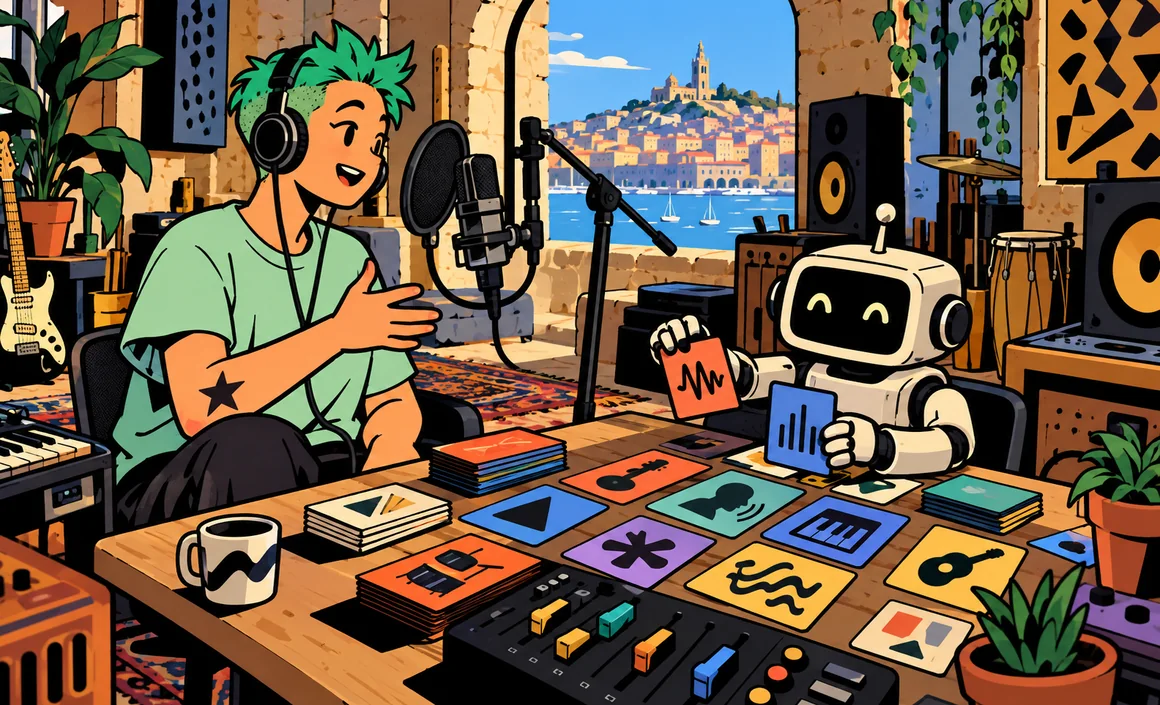
You type a sentence like “upbeat pop song about a cat who hates Mondays,” click a button, and a few moments later you’re listening to a real song, with a melody, lyrics, vocals, and instruments. That’s the promise of Suno AI, the most popular AI music generator with everyday users.
The first time, it’s mind-blowing. But to get a track that actually matches what you have in your head, you need to learn how to talk to Suno: how to write the prompt, when to bring your own lyrics, how to use your credits without wasting them, and what you’re allowed to do with your creations. In this guide, I’ll show you how to make a song with Suno from a simple prompt, with plenty of copy-and-paste examples.
Key takeaways
- Suno turns a plain-English description (genre, mood, topic, lyrics) into a complete song: melody, harmony, vocals, and production.
- The free plan gives you 50 credits a day, or up to about 10 songs, for non-commercial use.
- Pro ($10/month) and Premier ($30/month) give you commercial rights to songs created while you’re subscribed.
- Since September 3, 2026, downloads are capped: 20 a month on Pro, 60 on Premier, with no rollover.
- Suno announced its v6 model on September 9, 2026.
Information checked on September 29, 2026.
Contents
What exactly is Suno AI?
Suno is an online service that generates music from text. You describe what you want, and the tool produces the melody, harmony, vocals, and production. Beyond basic generation, Suno offers features to take things further: lyrics writing, instrumentals, editing a section, extending a track, and extracting stems, meaning the separate tracks (vocals, drums, bass, and so on).
The top plan, Premier, adds Suno Studio, a multitrack workspace with features like MIDI export, designed for people who want to fine-tune their tracks.
On September 9, 2026, Suno announced v6, its new model, developed with music industry partners including Warner Music Group, BMG, and Believe. If you’re reading older tutorials that call v5.5 the latest model, just know they’re out of date.
If you’re completely new to making music with AI, I suggest first reading my guide to making a song with AI, which covers the overall process and the rights rules. Here, we’re getting into the nuts and bolts of Suno.
Plans and credits
Suno runs on credits: every generation uses some. Here are the three plans, at official US dollar pricing.
| Plan | Monthly price | Yearly price | Credits | Songs (approx.) | Downloads | Commercial use |
|---|---|---|---|---|---|---|
| Free | $0 | – | 50 a day | up to 10 a day | up to 7 trial downloads, depending on eligibility | No |
| Pro | $10 | $8/month equivalent | 2,500 a month | ~500 a month | 20 a month | Yes |
| Premier | $30 | $24/month equivalent | 10,000 a month | ~2,000 a month | 60 a month | Yes, + Suno Studio |
A few rules to know about credits and downloads:
- Unused monthly credits expire: they don’t carry over from one month to the next.
- Once you’ve used up your credits, Pro and Premier subscribers get up to 50 credits a day as long as the subscription stays active.
- Unused monthly downloads don’t roll over.
- On the free plan, trial downloads (up to 7, depending on account age and eligibility) remain non-commercial.
These download rules come from Suno’s new terms of service, which took effect on September 3, 2026. My advice: only download final versions, the ones you really plan to keep or share.
As for age, Suno requires users to be at least 13, or the local age of consent if that’s higher; between 13 and 17, a parent’s or guardian’s prior permission is required under the terms of service.
Make your first song with a simple prompt
The easiest way to start is to let Suno do everything from a description. Here’s how.
- Sign in to Suno and open the create page.
- In the description box, write one or two sentences covering the genre, mood, and topic of your song.
- Hit generate.
- Listen to the results all the way through.
- Keep the one you like, or tweak the prompt and try again.
A simple prompt example:
An upbeat pop song about a lazy cat who hates Monday mornings, with a super catchy chorus and a bubbly female voice.
In my experience, this “fully automatic” mode is perfect for having fun and getting to know the tool. The generated lyrics make sense but are often a bit predictable. As soon as I want a personal song, I switch to the mode where I provide my own lyrics.
Anatomy of a good Suno prompt
A good Suno prompt answers a few simple questions. Here’s how I sum them up:
- Genre: pop, rock, folk, electronic, singer-songwriter, reggae, jazz, hip-hop…
- Mood: happy, melancholic, epic, soothing, festive.
- Tempo: slow, medium, fast, danceable.
- Instruments: piano, acoustic guitar, synths, horns, strings.
- Voice: female or male, soft, powerful, deep, choir, or no vocals at all.
- Topic: what the song is about.
- Language: say which language you want; to stay in control of the result, the safest bet is still to provide your own lyrics.
Here are some complete prompts, ready to copy:
Acoustic folk song, guitar and harmonica, medium tempo, warm male vocals, about a train trip through the countryside in the fall.
Danceable electro-pop, shimmering synths and punchy bass, fast tempo, clear female vocals, about a summer night with friends at the beach.
Piano-and-vocals ballad, slow tempo, soft and intimate voice, about memories of a grandmother and her kitchen.
High-energy rock with distorted guitars and pounding drums, a chorus made for shouting together, about a small amateur soccer team’s big win.
Sunny reggae, skank guitar and organ, laid-back tempo, male vocals, about vacation getting closer.
I find three clear directions work better than ten contradictory adjectives. And avoid real artists’ names: describe the style in neutral words.
Bringing your own lyrics
For a song that feels like you, the best approach is to write your own lyrics, on your own or with help from an assistant like ChatGPT, Claude, or Gemini, then paste them into Suno with a separate style description.
Lots of users mark the structure of their lyrics with brackets, like below. It’s not syntax Suno officially documents, but it’s an easy marker to test.
[Verse 1]
The alarm goes off, it’s still dark outside
My cat just stares at me, he’s not up for the ride
[Chorus]
Oh Monday, Monday, you always come back
Oh Monday, Monday, give my sweet weekend back
[Verse 2]
…
[Bridge]
…
[Outro]
To prepare those lyrics with an assistant, here’s the prompt I use:
Write the lyrics for a song about [topic], for [occasion or audience]. Tone: [upbeat / tender / funny]. Structure with tags: [Verse 1], [Chorus], [Verse 2], [Chorus], [Bridge], [Chorus]. 4-line verses, a 4-line chorus that’s very easy to sing, simple rhymes, lines of similar length.
And to adapt lyrics for singing:
Review these lyrics like a songwriter. Shorten any lines that are too long so they’re easy to sing, make the chorus more memorable, and keep exactly the same tag structure.
If you want to get better at writing prompts in general, my guide to writing a good ChatGPT prompt will give you useful basics for Suno too.
Fine-tuning the result
The first generation is rarely perfect. Here’s how I go about improving a song.
Change one thing at a time
If you don’t like the result, don’t rewrite everything. Change just one element of the style, like the voice or the tempo, and run it again. That way you’ll learn what really shapes the result.
Extend or edit a track
Suno lets you extend a track that’s too short or edit a section. It’s handy when one version has a great verse but a disappointing chorus: instead of regenerating everything, rework the part that isn’t working.
Make an instrumental
For background music for a video or podcast, ask for an instrumental. Say clearly that you don’t want vocals.
Soothing lo-fi instrumental, muted piano and a soft hip-hop beat, no vocals, rainy afternoon vibe.
Get the stems
If you want to rework the mix in music software, stems give you the separate tracks. For advanced use, Suno Studio (Premier plan) offers real multitrack editing.
A few quick fixes that work well for me:
- Vocals too fast: shorten the lines.
- Chorus doesn’t stand out: add “catchy chorus” to the style and repeat it in the lyrics.
- Mix too busy: remove instruments from the description.
- A word sounds weird: spell it phonetically or swap it out.
To add visuals to your song, my guide to making a video with AI will give you some ideas.
Rights and commercial use with Suno
This is a key point, and I encourage you to understand it well before sharing anything.
- Free plan: personal, non-commercial use only.
- Pro and Premier: songs created during your subscription can be used commercially, including streaming, sales, or in a movie, TV show, or video game. Suno says it doesn’t claim a share of your earnings.
- No retroactive rights: upgrading to Pro doesn’t make songs you created earlier on the free plan commercial.
- No copyright guarantee: Suno states that its commercial rights don’t guarantee copyright protection. A 100% AI work isn’t automatically eligible for protection.
For a big professional project (album, ad, soundtrack), I recommend getting advice from a lawyer.
Three complete project examples
To show you the whole method, here are three typical projects, with the style and approach I’d use. The characters are just examples, so adapt them to your situation.
Sam’s birthday song
Sam wants to give his best friend Tyler a song for his 30th birthday. He starts by asking a chatbot for lyrics, giving it three specific stories: their disastrous camping trip, Tyler’s love of pancakes, and his contagious laugh. He reads it over, cuts a joke that’s too personal, then pastes the text into Suno with this style:
Festive pop-rock, bright guitars and driving drums, fast tempo, cheerful male vocals, backing choir on the chorus.
He generates three versions, keeps the best one, extends the outro to leave time for blowing out the candles, and only downloads the final version. Since the song is played at a private party, the free plan is enough.
Background music for a video channel
Chloe runs a small recipe channel and wants intro music. Since her channel is monetized, this counts as commercial use: she needs to create the track during a Pro subscription. She asks for a short instrumental:
Cheerful, light acoustic instrumental, ukulele and glockenspiel, medium tempo, Sunday kitchen vibe, no vocals, clean start and finish.
She generates several variations, picks the one with the catchiest opening, and notes in her files the creation date and the active plan, in case anyone asks later.
The classroom song
Mr. Bennett, an elementary school teacher, wants a nursery rhyme to teach the seasons to his students. He writes the lyrics himself, very short and repetitive, then picks a simple style:
Children’s nursery rhyme, piano and xylophone, medium tempo, soft and clear voice, repeated chorus, very clear pronunciation.
He checks that every word is pronounced correctly, spells out one poorly sung word phonetically, then plays the song in class. There are no student names or personal details in the lyrics.
These three cases show the logic: how you plan to use the song determines the plan, personal lyrics make the quality, and a few iterations are enough to get a satisfying result.
Mistakes and limitations to know about
- Imitating a real artist: don’t name singers in your prompts and don’t try to reproduce an existing voice. It’s an ethical and legal problem.
- Copying existing lyrics: only use lyrics you wrote or generated.
- Publishing a free-plan song on streaming or in a monetized video: that’s not allowed.
- Wasting your downloads: they’re limited and don’t roll over, so save them for final versions.
- Forgetting consent: before mentioning a real person (name, stories) in a public song, ask for their OK.
- Not proofreading generated lyrics: they may contain awkward lines or made-up details.
- Confusing credits and songs: the number of songs listed is approximate and depends on how you use the tool.
My checklist before publishing:
- Song created during a Pro or Premier subscription if the use is commercial
- No real artist’s name in the prompt
- Original lyrics, read all the way through
- Permission from the people mentioned
- A note that it was made with AI, to be upfront with listeners
FAQ
Is Suno AI free?
Yes, Suno has a free plan with 50 credits a day, or up to about 10 songs a day. Songs created on the free plan are for personal, non-commercial use only.
How much does Suno Pro cost?
Suno Pro costs $10 a month, or the equivalent of $8 a month billed yearly. It includes 2,500 credits a month (about 500 songs), 20 downloads a month, and commercial rights. Premier costs $30 a month ($24 a month billed yearly).
Can Suno write songs in languages other than English?
Suno doesn’t publish an official list of supported languages. The most reliable approach is to provide your own lyrics in the language you want, then listen carefully to the result: pronunciation and how natural it sounds can vary.
What happens to my unused credits?
Unused monthly credits expire at the end of the period. Once your credits run out, if you’re a Pro or Premier subscriber, you get up to 50 credits a day as long as your subscription stays active. Unused monthly downloads don’t roll over either.
Can I sell a song I made with Suno?
Yes, if it was created during a Pro or Premier subscription. But note: these commercial rights don’t guarantee copyright protection, and a song created on the free plan stays non-commercial even if you subscribe later.
What’s Suno’s latest model?
As of September 29, 2026, Suno has officially announced v6, on September 9, 2026, developed with partners including Warner Music Group, BMG, and Believe.
The bottom line
Suno AI lets you create a complete song from a simple prompt: describe the genre, mood, instruments, and voice, add your own lyrics clearly split into verses and chorus, then generate, compare, and fine-tune. The free plan is more than enough to learn and have fun, while Pro and Premier become essential as soon as you’re aiming for commercial use.
Keep the basic rules in mind: limited credits and downloads, commercial rights tied to the plan you had when you created the song, no copyright guarantee, and no imitating real artists. For the overall process and project ideas, check out my guide to making a song with AI.