

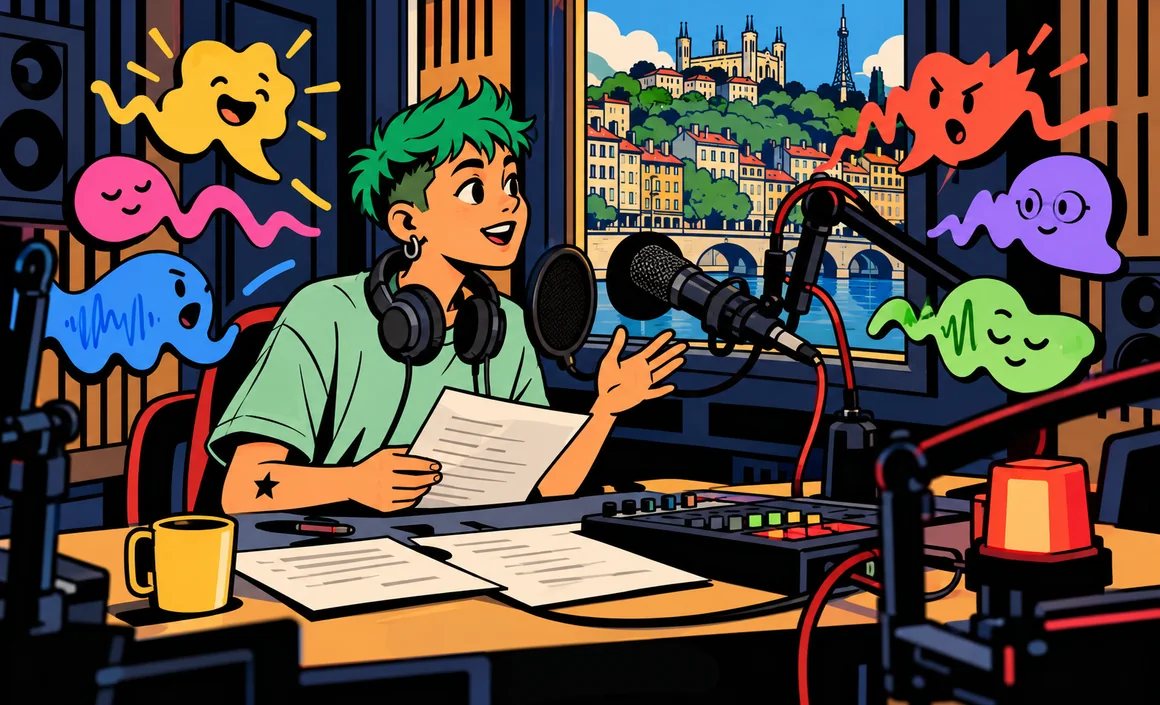
A YouTube video that needs narration, a tutorial for your customers, a company presentation, an audiobook for your kids, an ad for your shop: creating an AI voiceover now gets you natural-sounding narration in minutes, with no mic, no studio and no voice actor. You write your text, pick a voice, and the tool reads it with the tone, pacing and emotion you ask for.
You still need to pick the right tool, write a text that’s meant to be heard, and follow a few important rules, especially around commercial use and voice cloning. In this guide, I’ll explain which tools to use, how to write an effective script, how to fine-tune the voice, and what precautions to take. You’ll also find ready-to-copy scripts and prompts.
The short version
- ElevenLabs is the go-to tool for AI voiceovers, with a free version that includes 10,000 credits a month.
- Its free version is for personal, non-commercial use only, and attribution is required if you publish.
- Canva and Runway also build AI voice directly into their design and video tools.
- ChatGPT‘s voice output isn’t meant for producing a commercial voiceover.
- Never clone a voice without the person’s consent, and disclose when you use an AI voice.
Information checked on September 29, 2026.
Contents
- How does an AI voiceover work?
- The best tools for creating an AI voiceover
- AI voiceover tools comparison table
- Step by step: creating your voiceover
- Writing a good voiceover script
- Ready-to-copy scripts and voice descriptions
- Ethical rules to follow
- Checklist before publishing
- Mistakes to avoid and limits
- A complete example: from idea to final voiceover
- FAQ
- The bottom line
How does an AI voiceover work?
AI voiceovers rely on speech synthesis, also called text to speech (TTS): you provide written text, and an AI model turns it into spoken audio. The synthetic voices of a few years ago sounded robotic. Recent models can now place pauses, vary intonation and express emotion.
There are three main ways to create a voiceover with AI:
- Pick a voice from a library: the simplest and safest option.
- Design a custom voice by describing it (age, tone of voice, accent, style).
- Clone a voice, meaning reproduce a real voice from recordings. It’s possible, but only with your own voice or with the person’s explicit consent.
The best tools for creating an AI voiceover
ElevenLabs: the benchmark for AI voice
In my opinion, ElevenLabs is the most polished voiceover tool. It offers text to speech, voice design (Voice Design), a Studio workspace for long projects, and several levels of voice cloning.
What’s new: on September 28, 2026, ElevenLabs launched Eleven v4 and Eleven v4 Turbo. These new models focus on emotion, understanding context and prosody (the rhythm and melody of speech), improve multi-voice dialogue, and are explicitly aimed at voiceover and dubbing, including with professional voice clones.
Free version: $0 a month, 10,000 credits a month, with text to speech, Voice Design, Studio and up to 3 projects. Watch out: this plan is for personal, non-commercial use only, and you must credit ElevenLabs if you publish the result.
Paid plans (before tax):
- Starter: $6 a month, 30,000 credits, commercial license and instant voice cloning.
- Creator: $22 a month, 121,000 credits, professional voice cloning.
- Pro: $99 a month, 600,000 credits, audio up to 192 kbps or 44.1 kHz PCM.
- Scale ($299) and Business ($990) for teams and companies.
The consumer service is for people 18 and older, according to ElevenLabs’ terms.
Canva: voice built into your edits
Canva offers a built-in AI voice that generates audio right inside your design and video editing workspace. The advantage is obvious: you write the text, and the voice drops into your video or presentation without switching tools. Since June 26, 2026, Canva’s AI terms include audio in the general definition of generated content, with lawful use as set out in its terms.
In my opinion, it’s the most practical option for a social media video or a presentation. To learn all about its features, read my Canva AI guide.
Runway: voice that serves the video
Runway, best known for video generation, offers a Text to Speech feature and custom voices on its Pro plan, with 2,250 credits a month. Commercial use is allowed as long as you follow its terms. It’s a good fit if you already create your videos in Runway: see my comparison of AI video generators.
What about ChatGPT?
ChatGPT’s voice mode is excellent for spoken conversation (see my ChatGPT voice guide), but it’s not a voiceover generator. OpenAI’s terms set specific rules for voice output: non-commercial use, with no redistribution as a standalone audio file. On the other hand, ChatGPT is very handy for writing the script for your voiceover, as we’ll see.
AI voiceover tools comparison table
| Tool | Free version | Commercial use | Strength | Best for |
|---|---|---|---|---|
| ElevenLabs | 10,000 credits/month, non-commercial, attribution | From Starter ($6/month) | Quality, emotion, Eleven v4 | Creators, podcasts, dubbing |
| Canva | Based on the account’s AI uses | Lawful use per its terms | Voice built into editing | Social media, presentations |
| Runway | TTS on the Pro plan | Allowed under conditions | Voice and video in one place | Video creators |
| ChatGPT | Voice mode for conversation | No, not for a voiceover | Writing the script | Preparing the text |
Step by step: creating your voiceover
- Define the use: personal or commercial? That determines the plan you need.
- Write a script made for speaking: short sentences, simple words, one idea per sentence.
- Read your text out loud: if you stumble over a sentence, the AI voice will probably struggle with it too.
- Pick a voice that suits your audience: warm for a tutorial, upbeat for an ad, calm for a documentary.
- Generate a short first clip to test the tone before running the whole text.
- Adjust punctuation, pauses and how proper names are pronounced.
- Generate the full version, listen to all of it and fix any flubbed passages.
- Add the voice to your video or presentation, and include an AI disclosure.
Writing a good voiceover script
A text written to be read isn’t the same as a text written to be heard. Here are my rules for an effective script:
- Short sentences: fifteen to twenty words max.
- Punctuation as sheet music: a comma creates a small pause, a period a real breath. Ellipses slow the pace down.
- Numbers spelled out if the voice reads them badly (“twenty twenty-six”).
- Acronyms and proper names written the way they’re pronounced, if needed.
- The right tone: you’re talking to one person, not a crowd.
You can ask ChatGPT to prepare the text (see my ChatGPT guide):
Write a 45-second voiceover script introducing my flower shop in Portland, Oregon. Warm, natural tone, short sentences, speak directly to the listener, one idea per sentence. End with an invitation to visit the shop. Spell out all numbers.
To improve an existing text:
Rewrite this text so it can be read aloud by a voiceover: shorten the sentences, remove phrasing that sounds too written, add natural pauses with punctuation, without changing the meaning. Here's the text: [paste your text]
And if your video needs to exist in several languages, my guide to translating with ChatGPT will help you adapt the script before having it read.
Ready-to-copy scripts and voice descriptions
Sample script for a tutorial:
Hi, and welcome. Today, I'm going to show you how to repot a plant in five minutes. You'll need three things: a slightly bigger pot, some potting soil, and a little patience. Step one… gently slide the plant out of its old pot.
Sample script for a short ad:
The weekend's almost here. So why not finally slow down? At Main Street Café, brunch is served every Sunday. Fresh ingredients, a cozy vibe, and a table waiting just for you.
To design a custom voice, describe it precisely:
Female voice in her forties, warm and steady tone, neutral American accent, calm pace, kind and reassuring, ideal for a tutorial.
Young, upbeat male voice, smiling energy, fast but clear delivery, enthusiastic tone for a social media ad.
Here’s an example: Jessica, a freelance trainer, wants to narrate her tutorials without recording her own voice. She writes her scripts with ChatGPT, reads them aloud, then picks a calm voice from a library. Since she sells her tutorials, she needs a plan with a commercial license, not the free version.
Ethical rules to follow
A voice is personal data and part of someone’s identity. These rules are non-negotiable:
- Never clone a voice without consent: not a loved one’s, not a celebrity’s, not a coworker’s. Only clone your own voice, or that of someone who has given you explicit permission, ideally in writing.
- Disclose the use of an AI voice: state in the description or on screen that the narration is AI-generated. Your audience has a right to know.
- Never put words in someone’s mouth: no fake messages from a real person, no impersonation meant to deceive.
- Watch out for voice scams: cloned voices can also be used for fraud. If a loved one calls you in a panic asking for money, call them back on their usual number.
Checklist before publishing
- Your plan allows the intended use (personal or commercial).
- If you’re using ElevenLabs’ free version, the attribution is included.
- No real voice was cloned without consent.
- The “AI-generated voice” disclosure is visible.
- You listened to the whole voiceover, right up to the last sentence.
- Proper names and numbers are pronounced correctly.
Mistakes to avoid and limits
- Using the free version for a commercial project: at ElevenLabs, it’s for personal, non-commercial use only.
- Publishing ChatGPT’s voice output as a voiceover: its terms don’t allow for that.
- Pasting a written text as is: it’ll sound artificial. Rewrite it for speaking.
- Generating everything at once: test a short clip first to validate the voice.
- Not listening back: AI voices can mispronounce a name, stress the wrong word or read an acronym letter by letter.
- Expecting a voice actor’s emotion: the progress is real, but for very nuanced narration, a real voice is often still the better choice, in my view.
A complete example: from idea to final voiceover
To make the method concrete, here’s how I prepare the voiceover for a short intro video of about forty-five seconds.
1. I write a first draft
First, I write the text the way I’d say it out loud, without aiming for perfection:
Wasting time hunting for your files? Me too, for years. So I set up a simple system, with three folders. One for work in progress. One for archives. And one for everything waiting on a decision.
2. I read it out loud
I read the text myself, with a timer running. Every time I stumble over a sentence, I shorten it. I also swap out hard-to-pronounce words and spell out numbers.
3. I write the voice description
Calm male voice, warm and friendly tone, moderate pace, slight pause after each question.
4. I generate and listen in chunks
I split the script into three or four blocks and generate them separately. If a passage sounds off, I only redo that block. I adjust the punctuation: a comma for a short breath, an ellipsis for a longer pause.
5. I check it against the picture
Finally, I lay the voice over the video and watch the whole thing with the sound off, then on. If the text runs ahead of the images, I cut a sentence rather than speeding up the voice.
This routine takes a bit of time at first, but it quickly becomes second nature, and the result sounds much more natural.
FAQ
Can you create an AI voiceover for free?
Yes. ElevenLabs gives you 10,000 free credits a month, but for personal, non-commercial use only, with attribution if you publish. Canva also offers an AI voice in its design workspace.
Which plan do you need for commercial use?
At ElevenLabs, the commercial license is included starting with the Starter plan, at $6 a month. Runway allows commercial use under conditions. Always reread the terms of the tool you choose.
Is it legal to clone a voice?
Cloning your own voice is fine. Cloning someone else’s voice without their consent is unethical and may violate their rights. Always get explicit permission.
What does Eleven v4 bring?
Launched on September 28, 2026 along with its Turbo version, Eleven v4 focuses on emotion, context and prosody, improves multi-voice dialogue, and targets voiceover and dubbing.
Can you use ChatGPT’s voice for a video?
It’s not recommended: OpenAI’s terms provide for non-commercial use of voice output, with no redistribution as standalone audio. Use ChatGPT to write the script instead.
Should you disclose that a voice is AI-generated?
I always recommend it. It’s a matter of transparency with your audience, and the best way to keep their trust.
The bottom line
To create a voiceover with AI, write a script designed to be spoken, pick the right tool (ElevenLabs for quality, Canva for simplicity, Runway for video), test a short clip, then make sure your plan allows the intended use. Above all: never clone a voice without consent, and always disclose when you use an AI voice.
To go further, check out the best free AI tools.