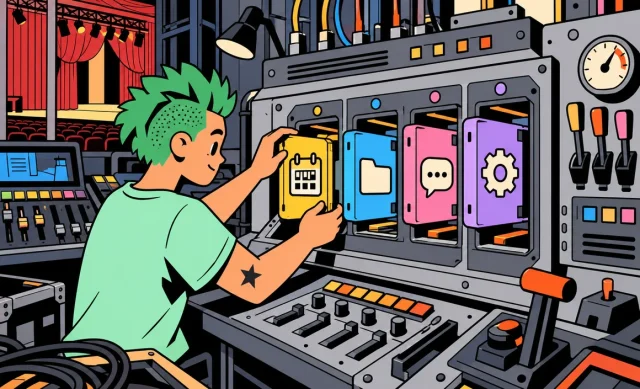
Writing a text, analyzing a PDF, looking up recent news, creating an image, crunching data or just planning a trip: ChatGPT has become much more than a chatbot you ask a few questions.
The catch is that it now does so many things that it’s hard to know where to start. In this guide, I’ll walk you through how to use ChatGPT in 2026, what you can actually do with it, and which features are available for free.
ChatGPT in 2026: the essentials
- ChatGPT is available for free on the web and on mobile.
- The Free plan currently uses GPT-5.6 Luna by default.
- Everyday text conversations are advertised as unlimited on Free, subject to abuse protections.
- The free version also lets you use web search, files, data analysis and image generation, each with its own limits.
- Paid plans mainly give you access to more advanced models, more reasoning and higher limits.
Information checked on September 25, 2026.
Contents
- What exactly is ChatGPT?
- How do you get started with ChatGPT?
- What can you do with ChatGPT in 2026?
- Is ChatGPT really free?
- How do you write a good ChatGPT prompt?
- Does ChatGPT remember what you tell it?
- Can you trust ChatGPT?
- Is ChatGPT replacing Google?
- ChatGPT, Gemini, Claude or Perplexity: which one should you use?
- 5 things to try with ChatGPT right now
- ChatGPT FAQ
- The bottom line
What exactly is ChatGPT?
ChatGPT is an AI assistant developed by OpenAI. You type or say what you need, and it writes a response based on your instructions and the context of the conversation.
That’s a big difference from a search engine. You’re not limited to a few keywords: you can explain your situation, spell out your constraints, ask for a specific format, then keep the conversation going to tweak or dig deeper into the result.
Today, ChatGPT can help you write, learn, research, analyze, get organized, code, work with files and create content. Some features do depend on your plan, though, and each has its own usage limits.
How do you get started with ChatGPT?
You can use ChatGPT right at chatgpt.com or through the official smartphone apps. In supported regions, you can even use some of it without an account.

Once you’re in, just type what you want in the chat box. You can start with a very simple request:
Explain in simple terms how a heat pump works.
But you’ll usually get a better answer if you give it more context:
I want to understand how a heat pump works. I have no technical background. Explain it simply with a real-life example, then sum up its main pros and cons in a table.
And you don’t have to start over after that. ChatGPT keeps track of the context of the current conversation.
I didn't get the part about the coefficient of performance. Explain it like I'm 12.
This is one of the key things to understand: ChatGPT works best as a conversation, not as a series of separate searches.
What can you do with ChatGPT in 2026?
There’s a lot you can do, but here are the features I find most useful to get started.
Write, proofread and rewrite
This is probably the most obvious use. ChatGPT can write a first draft, proofread a text, shorten it, change its tone or reorganize it.
Here's my draft email. Fix the mistakes and make it more professional, but keep all the information and don't make it sound too formal.
You’ll generally get better results if you provide your own text and explain exactly what you want changed, rather than just saying “improve this text.”
Learn and understand a topic
You can ask ChatGPT to tailor an explanation to your level, then dig into only the parts you’re struggling with.
Explain inflation to me in simple terms. Start with a two-sentence definition, then give me a concrete example using $100, and then explain why it can go up.
It can also create study guides, exercises and quizzes, or help you practice a foreign language.
Search the web
ChatGPT can search the web and cite the sources it used. This matters a lot as soon as your question is about something that might have changed.
Look up the latest available information on this topic. Use sources published in the last three months and give me the source for every key piece of information.
I recommend getting into the habit of asking for a web search whenever you’re dealing with prices, news, regulations, a recent product or any other data that changes over time.
ChatGPT also offers deep research tools for projects that need more sources and more in-depth analysis. Availability and limits depend on your plan.
Read and analyze a PDF or document
You can attach a file directly to your conversation and ask ChatGPT to work from its content.
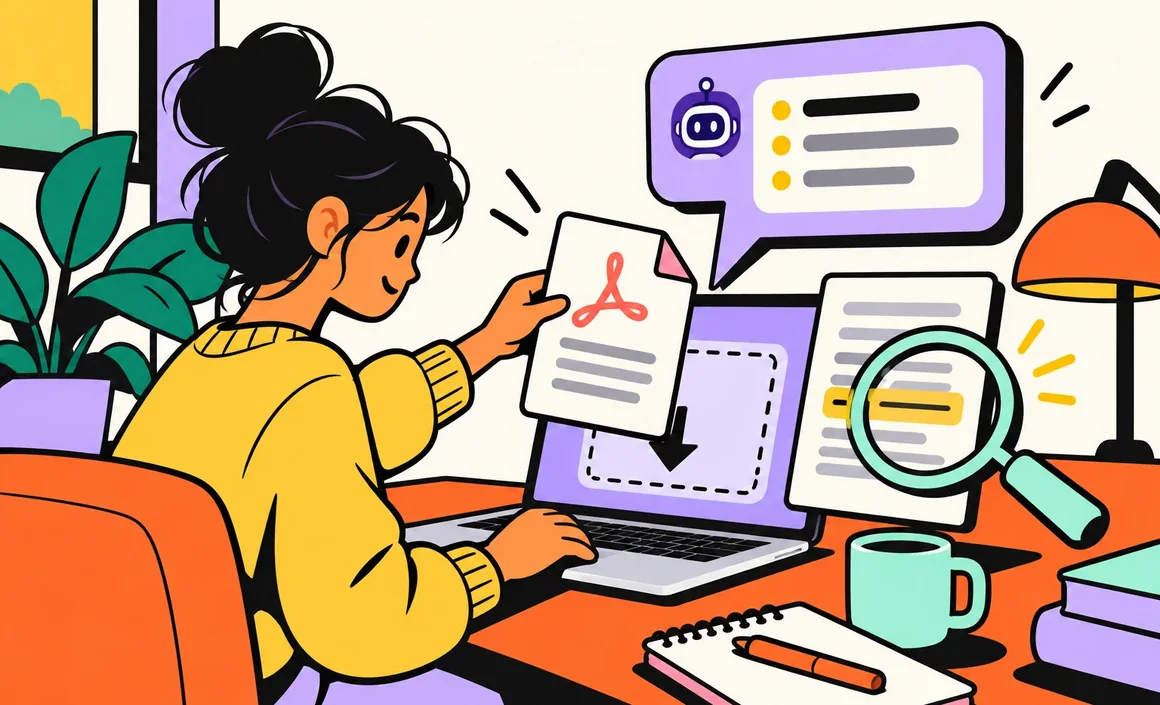
For example, you can:
- summarize a report;
- find a specific piece of information;
- pull out the key numbers;
- explain a tricky passage;
- compare different parts of a document;
- answer questions based on the file.
Summarize this PDF in 10 bullet points. Then identify the three main conclusions and give me the page number for each one.
→ My complete tutorial on using ChatGPT with a PDF
For anything important, don’t settle for the summary: ask ChatGPT to point you to the passage in the document that backs up its answer so you can check it yourself.
Create images
ChatGPT can also generate images from a description. This feature is available on the free plan, with usage limits.
Create a realistic vertical photo of a small Mediterranean-style living room with white walls, a beige linen sofa, light wood and a few touches of blue. Natural late-afternoon light.

You can then keep the conversation going to ask for changes: swap an element, change the mood, remove an object or try a different composition.
Analyze a photo or screenshot
It works the other way around too: send ChatGPT an image and ask it a question about it.
Here's a screenshot of the error message on my computer. Tell me what it means and list the things I should check, in order.
You can also use this to understand a chart, analyze a photographed document or pull information from an image.
Analyze data
ChatGPT can work with spreadsheets and data files. You can ask it to run calculations, clean up data, spot trends or produce tables and charts.
Analyze this file. Show me how revenue changed month by month, the three biggest swings and any anomalies you spot.
Here again, double-check the results if you’re using them to make an important decision.
Use ChatGPT with your voice
You can also talk to ChatGPT. You speak to the assistant and it answers out loud, which is handy when you’re walking, cooking, learning a language or just want to chat without typing.
Is ChatGPT really free?
Yes. You can do a lot with ChatGPT today without a subscription.
As of September 25, 2026, Free users get GPT-5.6 Luna as their default model. OpenAI advertises unlimited everyday text conversations on this plan, subject to its abuse protections.
The free plan also includes several important tools:
- web search;
- data analysis;
- file and image uploads;
- custom GPTs;
- image generation;
- a Library with 500 MB of storage.
One word of caution, though: “unlimited text” doesn’t mean every feature is unlimited. Files, images, voice, data analysis and other tools each have their own separate quotas.
If you’re just discovering ChatGPT or only use it now and then, I recommend starting with the free plan. You’ll find out pretty quickly whether your needs actually justify a subscription.
→ ChatGPT Free: everything you can do without paying
→ ChatGPT Plus: price, benefits and how it compares to the free version
How do you write a good ChatGPT prompt?
What you send to ChatGPT is usually called a prompt. No need to learn a complicated formula: for most uses, four elements are enough.
- Your goal: what ChatGPT needs to do.
- The context: the information it needs to understand your situation.
- The constraints: what it should stick to or avoid.
- The format: how you want to receive the result.
Compare these two requests.
Make me an itinerary for Lisbon.
And:
I'm going to Lisbon for four days in October with a $500 budget, not counting travel. I love architecture, local food and walking. Put together a day-by-day plan, with sights grouped by neighborhood and no overpacked days.
The second version instantly gives ChatGPT much more to work with to produce a relevant answer.
And above all, don’t feel like you have to nail the perfect prompt on the first try. If the answer is too long, too technical or poorly organized, just say so and ask for a fix.
→ My complete method for writing a good ChatGPT prompt
Does ChatGPT remember what you tell it?
There are two different things here.
Within a single conversation, ChatGPT uses the context of previous messages. So you can keep a discussion going without repeating all your instructions in every message.
ChatGPT also has a memory and personalization system that, when it’s turned on and available for your account, can use relevant information from your past interactions to tailor some future answers.
If you’d rather have a conversation that doesn’t create or update memories, you can use a Temporary Chat. Depending on the options offered when you start it, it can also be used without personalization.
Can you trust ChatGPT?
This is probably the most important rule in this guide: ChatGPT can be wrong.
An answer can sound completely credible and still contain a mistake, outdated information or a misreading of your request.
How much you need to double-check obviously depends on the topic. A mistake in a list of decor ideas doesn’t have the same consequences as a mistake about your health, your finances or official paperwork.
For important information:
- ask for a web search when the information may have changed;
- ask for sources;
- open the important sources;
- favor official or authoritative sources;
- verify the data that really matters yourself.
Use ChatGPT as an assistant, not as an infallible authority.
Is ChatGPT replacing Google?
Not really. The two are getting closer, but they’re still different.
Google is still very handy for going straight to a website, browsing lots of results or quickly reaching different sources.
ChatGPT really shines when you want to do something with that information: get a summary, compare several things, ask for an explanation or keep working on the result.
That said, since ChatGPT can search the web itself and cite sources, you no longer have to pick one or the other every time.
ChatGPT, Gemini, Claude or Perplexity: which one should you use?
ChatGPT is obviously not the only AI assistant out there. Google has Gemini, Anthropic offers Claude, and Perplexity has built much of its experience around search and sources.
I don’t think it’s very useful to hunt for an AI that’s always “the best.” The right choice mostly depends on what you want to do, the ecosystem you use and the features you have access to.
You can also use more than one: ChatGPT for some tasks, Claude or Gemini for others, and Perplexity when its approach to search suits you better.
5 things to try with ChatGPT right now
If you just created your account, there’s no need to try every feature right away. Start with these five experiments:
- Understand: ask it to explain a topic you don’t know well.
- Write: give it a real email and ask it to improve it.
- Analyze: send it a PDF and ask three specific questions about its content.
- Research: ask for recent information along with sources.
- Create: describe an image in detail, then refine it over several rounds.
In about thirty minutes, you’ll already have a much clearer idea of what ChatGPT can really do for you.
ChatGPT FAQ
Is ChatGPT free?
Yes. ChatGPT has a free plan that currently gives you access to GPT-5.6 Luna and plenty of tools. Files, images, voice, data analysis and some other features do have their own usage limits, though.
Do you need an account to use ChatGPT?
Not always. OpenAI lets you try ChatGPT without an account in some supported regions. An account is still useful for getting back to your conversations and accessing all the features available on your plan.
Do you need to download ChatGPT?
No. You can use ChatGPT right in your browser at chatgpt.com. There are also official mobile apps.
Can ChatGPT search the internet?
Yes. ChatGPT can search the web and cite the sources it used. Web search is one of the features available to free users.
Can ChatGPT read a PDF?
Yes. You can upload files and ask ChatGPT to summarize them, extract information or answer questions based on their content. File uploads are available on Free, with usage limits.
Can ChatGPT create images for free?
Yes. Image generation is currently available to Free users, but it has its own usage limits.
Does ChatGPT always give the right answer?
No. ChatGPT can produce incorrect information even when its answer sounds convincing. Important information should be verified, ideally against reliable or official sources.
The bottom line
In the end, what matters most isn’t knowing every ChatGPT feature, but knowing when to use it, how to give it enough context and when to double-check what it tells you. That’s when it becomes genuinely useful in everyday life.