
A 40-page report to get through before the meeting, a long newsletter, an in-depth article, the minutes of a city council meeting, a textbook chapter: we spend part of every day reading texts where only a small slice is actually useful to us. ChatGPT is a great tool for summarizing, as long as you know how to ask for the right summary.
Because a plain “summarize this text” gets you an average result. A summary tailored to your goal (making a decision, studying, briefing someone, prepping for a meeting) is far more useful. In this guide, I’ll show you how to summarize text with ChatGPT the right way: the different types of summaries, copy-and-paste prompts, and the traps to avoid so you don’t miss what matters.
Key takeaways
- Paste the text, upload a file, or share the link to a public web page: ChatGPT can usually summarize it, as long as the page is accessible.
- Always say why you want a summary: to decide, study, inform someone, or reply.
- Set a length and a format: 5 bullet points, 100 words, a table, an outline.
- For a long document, ask for page numbers or quoted passages so you can check.
- A summary can leave things out or distort them: reread the key passages yourself when the stakes are high.
Information checked on September 28, 2026.
Contents
- How to give ChatGPT a text
- The basic prompt that works
- The different types of summaries
- Summarizing different kinds of text
- Three real-life examples
- Summarizing a very long document
- Traps to avoid
- Check a summary in 2 minutes
- Privacy: be careful what you paste
- ChatGPT or another tool for summarizing?
- Frequently asked questions
- The bottom line
How to give ChatGPT a text
There are three ways to do it, depending on what form your text is in.
Paste the text
For an article, an email or a few pages, the easiest option is to copy and paste the text straight into the chat. It’s fast, and it doesn’t eat into your file upload limit on the free plan. Make it clear where the text starts and ends, for example by putting it between two lines of dashes.
Upload a file
For a PDF, a Word document, a slide deck or a spreadsheet, click the “+” button in the message box and upload the file. ChatGPT can handle very long documents. I cover every option in my tutorial on using ChatGPT with a PDF.
Share a link
For a public web page, you can paste the URL and ask for a summary: ChatGPT will use its web search to open the page. It doesn’t always work (password-protected pages, paywalled content, sites that block bots). If it fails, just copy and paste the text. To learn more about this feature, read my guide to searching the web with ChatGPT.
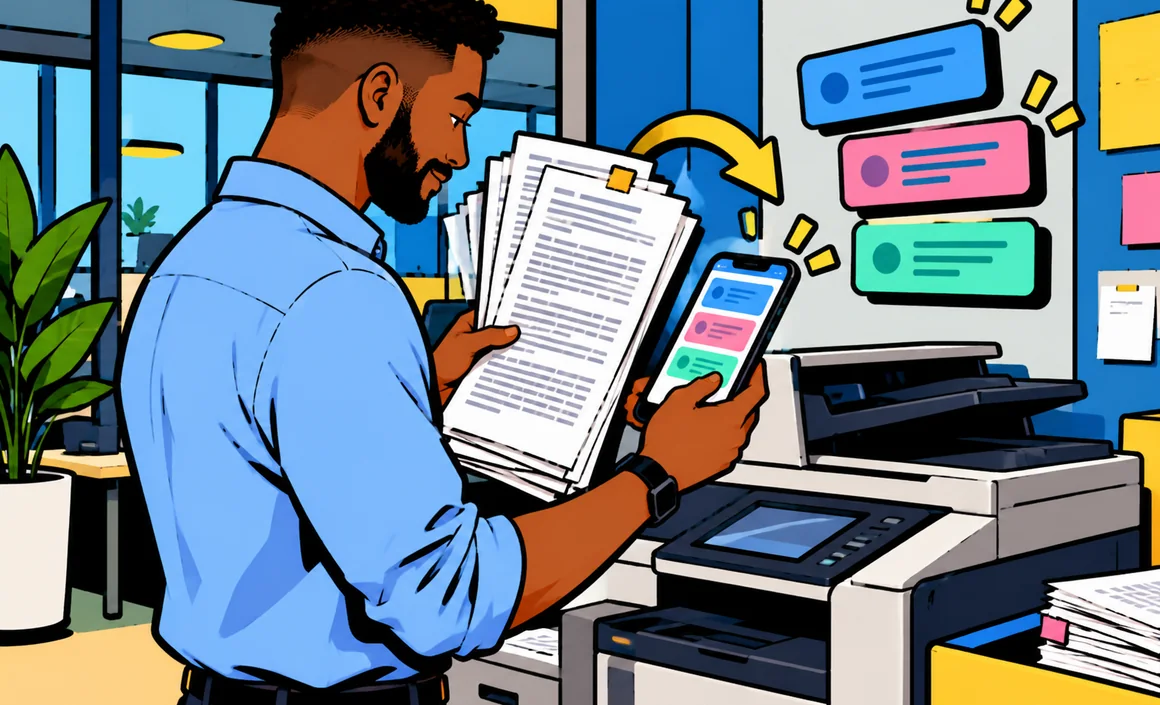
You can also snap a photo of a printed page or a letter: ChatGPT reads the text in the image and summarizes it.
The basic prompt that works
Here’s the prompt I use 80% of the time. It includes the four ingredients of a good summary: the goal, the reader, the length and the format.
Summarize this text so I can [goal: prep for a meeting, decide whether to read it in full, explain it to my team…]. The reader is [me / my manager / a beginner]. Keep it to [5 bullet points / 100 words / one paragraph], starting with the most important idea. End with what directly affects me or what I need to do.

---
[text]
---
The difference from a plain “summarize” is dramatic: ChatGPT knows what matters to you and sorts the information accordingly.
The different types of summaries
There isn’t just one kind of summary. There are several, depending on what you want to do with it. Here are the ones I use most.
The quick summary
To find out in ten seconds what a text is about and whether it’s worth reading.
Summarize this text in a single sentence, then tell me in one line who it's useful for.
The key-points summary
The most versatile format: a bulleted list, one idea per point.
Summarize this text in no more than 5 key points, one sentence each, ranked by importance.
The structured summary
For a long, well-organized document (a report, a study, course material), a summary that follows the structure of the text.
Write a structured summary of this document: follow its outline (section headings), and under each section list the 2 or 3 main ideas. Include page numbers.
The action-oriented summary
For meeting minutes, long emails and procedures: what matters is the decisions and the tasks.
Based on these meeting notes, list: the decisions made, the action items with the person responsible and the deadline, and any open questions. Put everything in a table.
The critical summary
For an op-ed, a study or a sales proposal: you want the gist, but also a critical eye.
Summarize the main argument of this text and its 3 strongest supporting points. Then point out the weaknesses in the reasoning, any unsourced claims, and what the author leaves out.
The summary for someone else
To pass information along to a coworker, a client or a family member, at the right reading level.
Summarize this text for my 75-year-old father, who isn't comfortable with bureaucratic jargon: 5 simple sentences, including exactly what he needs to do.
Summarizing different kinds of text
A news article or blog post
Ask for the main idea, the important facts and the key numbers, along with the publication date. For a current-events topic, ask ChatGPT to flag anything that may have changed since.
A business report
Go for a decision-oriented summary: conclusions, recommendations, key figures, risks. Always ask for page numbers so you can double-check before bringing it up in a meeting.
I have to present this report to the leadership team in 3 minutes. Give me: the main conclusion, the 3 numbers to remember with their page, the 2 top-priority recommendations, and one risk to mention.
Class notes or a textbook chapter
For studying, the summary should help you remember: definitions, key concepts, examples and practice questions.
Turn this chapter into a study guide: the key concepts with their definitions, one example for each, then 5 questions to test my understanding, with the answers at the end.
An endless email or a long thread
Paste the whole thread and ask who’s asking for what, what was decided, and what’s expected of you. It works amazingly well when you get back from vacation.
A video or a podcast
To summarize a video accurately, the most reliable approach is still to provide its transcript (often available on video platforms) and ask for a summary with the key moments. Depending on the platform and the tools available, ChatGPT may also be able to use public information about the video.
Three real-life examples
To show you the difference, here are three situations from my everyday life, with the prompt that actually worked.
The HOA annual meeting minutes
Twelve pages of minutes, votes, dollar amounts, repair projects. A basic summary gave me a list of topics discussed, with nothing about what actually affected me. The right prompt:
Here are the minutes from my condo association's annual meeting. I own a unit on the 2nd floor. List the decisions that were voted on, the planned repair projects with their timeline, and most importantly, the amounts I'll have to pay and when. Give the page for each piece of information.
The result: in one minute, I knew how much to set aside and when.
The 3,000-word industry newsletter
Every week, a packed newsletter about my industry that I never had time to read. Now I paste it into ChatGPT with this request: “the 3 pieces of news that could affect my work as a [job], one sentence each, plus a link to the matching section if I want to dig deeper.” Then I read only the flagged sections in full.
A student’s textbook chapter
A friend who’s in law school showed me how he studies: first he asks for a structured summary of the chapter, then he closes the chat and tries to rewrite the summary from memory before comparing the two. The summary becomes an active learning tool, not a shortcut.
Turn this chapter into a study guide, then ask me 5 questions without giving the answers. I'll answer from memory and you'll correct my mistakes.
Summarizing a very long document
For a document that runs dozens of pages, a single overall summary is likely to be too shallow. Here’s the three-step method I use:
- The map: first, ask for a detailed outline of the document with page numbers.
- The zoom: next, ask for a summary of each section you care about, one at a time.
- The synthesis: finish with an overall summary geared to your goal, built on the section summaries.
We're going to work in three steps. First, give me only the detailed outline of this document with page numbers. I'll then tell you which sections to summarize.
This method takes a few extra minutes, but it greatly reduces the risk of an important detail slipping through the cracks.
Traps to avoid
By definition, a summary leaves things out. The risk is that ChatGPT leaves out what mattered to you, or distorts a nuance.
- Omissions: an exception, a condition or a deadline can disappear from a summary that’s too short. For a binding document (a contract, a set of rules), explicitly ask for the exceptions and conditions.
- Distortions: “could” turns into “will,” a hypothesis becomes a certainty. Ask ChatGPT to keep the nuances and the cautious wording.
- Additions: ChatGPT may fill in a summary with its own knowledge without telling you. Specify “based only on the text provided.”
- Numbers: a percentage or an amount can be copied wrong. Always check important figures against the original text.
- Very long texts pasted all at once: if the text is very long, ChatGPT may pay less attention to the end. Upload a file instead, or split it up.
My magic line, which I add to every important summary:
Use only the text provided. If an important piece of information is ambiguous or you're not sure, flag it instead of guessing. For each key point, cite the passage or page that supports it.
Check a summary in 2 minutes
For a summary you’ll use to make a decision or to inform other people, run this quick check:
- Reread the introduction and conclusion of the original text: the summary’s main idea should show up there.
- Check the numbers quoted in the summary against their original page.
- Ask what’s missing: “What important information did you leave out?”
- Flip it around: “What questions would a careful reader ask after reading this summary?”
What did you leave out of this summary that could matter for [goal]? List the 3 most significant items.
Privacy: be careful what you paste
Summarizing often means pasting work documents or personal texts. Before you do:
- Remove names, addresses, phone and account numbers and anything else that could identify someone.
- Check your company’s policies: some internal documents must not be shared with an outside service.
- Limit how your data is used: turn off “Improve the model for everyone” in Data Controls. A Temporary Chat isn’t used to train models and stays out of your history unless you save it; however, it may be kept for up to 30 days for safety purposes.
ChatGPT or another tool for summarizing?
ChatGPT is very versatile for summarizing, but other tools have their strengths. Claude is especially popular for long documents and nuanced summaries (see my Claude AI guide). Gemini summarizes your emails right in Gmail or your documents in Drive (see my Gemini guide). And many PDF readers and web browsers now offer a built-in summary button, handy for quick jobs.
Frequently asked questions
Can ChatGPT summarize text for free?
Yes. Pasting a text and asking for a summary works on the free plan, with no particular limit. You can upload files too, up to a quota.
What’s the maximum length of text ChatGPT can summarize?
ChatGPT can handle very long documents, especially as files. For a very long pasted text, split it up or upload it as a file instead for better results.
Are ChatGPT summaries reliable?
They’re generally good, but not foolproof: ChatGPT can leave out, distort or add information. For anything important, check the key points against the original text.
Can ChatGPT summarize a text written in another language in English?
Yes, that’s actually one of its strengths. Just ask “summarize this text in English.”
Can I use a ChatGPT summary for a school assignment?
To understand the material and study, yes. Turning it in as-is as your own work, no: that’s often against the rules, and you don’t learn anything. Use it as a starting point.
Can I summarize several documents at once?
Yes. Upload several files in the same message and ask for a combined summary: what they have in common, where they differ, where they contradict each other. It’s really useful for comparing two quotes, two studies or several versions of the same document. Be clear about which document is which to avoid mix-ups.
The bottom line
To summarize effectively with ChatGPT: give the goal, the reader, the length and the format; ask for the passages or pages that back up each point; and double-check the numbers and the exceptions. Then pick the right type of summary (quick, key points, structured, action-oriented, critical) based on what you want to do with it.
To go further, check out 10 useful ChatGPT prompts for everyday life and my guide to writing a good prompt.