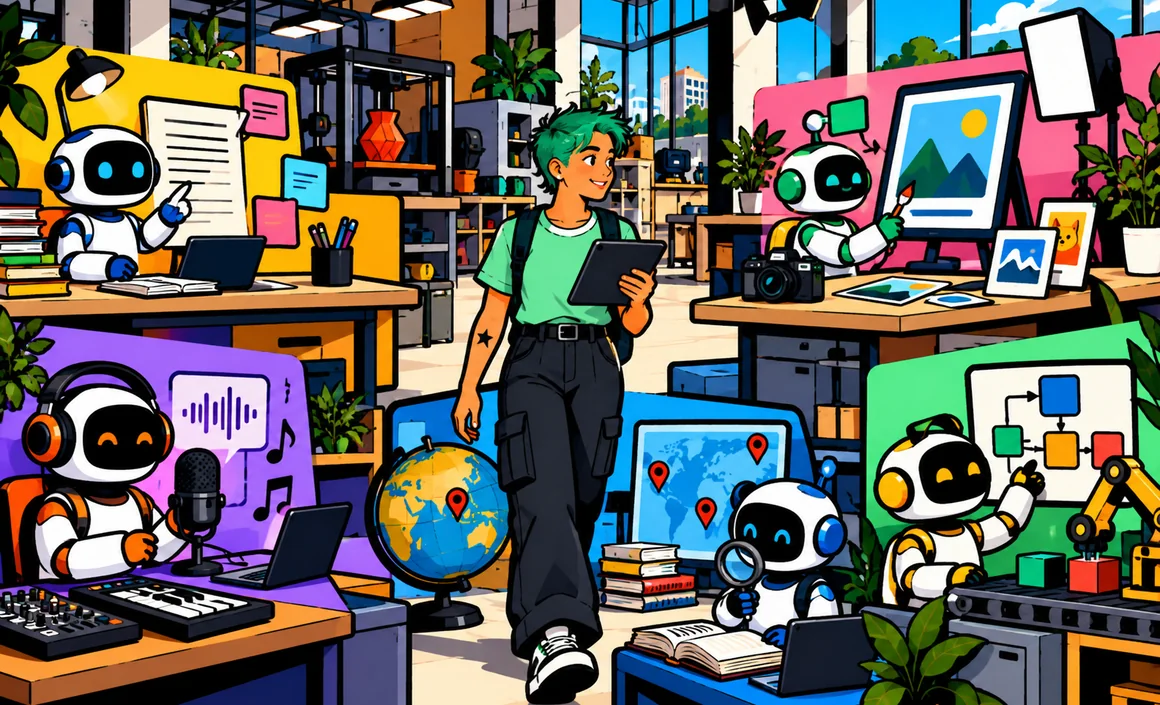
Hundreds of AI tools are fighting for your attention, and new ones show up every week. The result? You don’t know which one to pick, you try ten, and you end up keeping none. Yet for the vast majority of needs, a handful of tools is all you need, as long as you pick the right ones.
In this guide, I walk you through the best AI tools in 2026, organized by what you need to do: chatting and writing, searching, creating images and videos, making audio, working with your documents, coding, and learning. For each one, I tell you who it’s for, what it does best, what it costs and where it falls short. If you’re on a tight budget, start with my article on the best free AI tools.
The short version
- For everything: ChatGPT is still the most versatile assistant; Gemini and Claude are excellent alternatives depending on how you use AI.
- For research: Perplexity, because it shows its sources.
- For images: ChatGPT and Gemini for simplicity, Midjourney for artistic results, Canva for layouts.
- For video and audio: specialized tools like Runway, Veo, ElevenLabs or Suno.
- The right approach: start from what you need, test on a real task, then keep only 3 or 4 tools.
Information checked on September 28, 2026.
Contents
- How I made this list
- General-purpose assistants: your foundation
- Searching and staying informed
- Creating images
- Creating videos
- Voice, music and audio
- Working with your documents
- Coding and automation
- Learning
- Quick comparison table
- Which toolkit fits you?
- How to choose without spreading yourself thin
- FAQ
- Traps to avoid
- The bottom line
How I made this list
I didn’t try to list every tool out there, just the ones I’d recommend to a friend. My criteria:
- Quality of results on real-world tasks.
- Ease of use: a tool you can’t figure out is useless.
- A solid company behind it: well-known players whose tools won’t vanish in six months.
- Value for money, with a free version or trial when there is one.
- Transparency about your data.
Prices are ballpark figures for individual plans. They change often, so double-check them on the official websites.
General-purpose assistants: your foundation
If you only pick one kind of tool, make it this one. A general-purpose assistant writes, summarizes, explains, translates, searches the web, analyzes files and, often, creates images.
ChatGPT: the most versatile
OpenAI’s assistant is still the go-to for most uses: conversation, writing, document analysis, image creation, voice mode, memory, projects, scheduled tasks, connected apps and reusable workflows. Since September 2026, personal accounts can no longer create new custom GPTs; existing GPTs still work, while OpenAI is gradually replacing them with Plugins, which combine reusable instructions and connected apps. The free version is generous; the Plus plan costs $20 a month.
Who it’s for: everyone, especially beginners. My complete ChatGPT guide walks you through it step by step.
Gemini: the best in the Google ecosystem
Google’s assistant plugs into Gmail, Docs, Drive, Calendar and Android. It’s backed by Google Search and offers very powerful image and video creation tools. Plans: Google AI Plus ($9.99/month) and Google AI Pro ($19.99/month), both with storage included.
Who it’s for: Gmail, Drive and Android users. See my Gemini guide.
Claude: the best for writing and analysis
Anthropic’s assistant is loved for the quality of its writing, its handling of long documents, and coding. Its projects and artifacts make it an excellent work tool. The Pro plan is $20 a month.
Who it’s for: people who write a lot, analyze documents or code. See my Claude AI guide.
Microsoft Copilot: the best with Windows and Office
Microsoft’s assistant is built into Windows and the Edge browser and, with eligible Microsoft 365 plans, into Word, Excel, PowerPoint and Outlook.
Who it’s for: anyone in the Microsoft world, at work or at home.
Mistral Vibe: the European alternative
The assistant from French startup Mistral AI (formerly Le Chat) is fast, efficient and takes a European approach to handling your data.
Who it’s for: people who’d rather go with a European company.
To choose between the big ones, read my comparisons ChatGPT vs. Gemini and ChatGPT vs. Claude.

Searching and staying informed
Perplexity: search with sources
The “answer engine” that cites its sources for every piece of information. Ideal for factual questions, keeping up with a topic and in-depth research with its Research mode. The free version is generous for simple searches; the Pro plan is $20 a month.
Who it’s for: anyone who wants answers they can verify. See my Perplexity AI guide.
General-purpose assistants can search the web too, and for a one-off question they’re often enough. I compare the two approaches in ChatGPT vs. Perplexity.
Creating images
ChatGPT and Gemini: simplicity
Describe the image in plain English, then fine-tune it through conversation: it’s the easiest way to create quality visuals, with targeted edits. See my guide to creating images with ChatGPT.
Who it’s for: everyday needs, social media, illustrations.
Midjourney: artistic results
The original heavyweight of AI image generation, Midjourney stands out for the beauty and richness of its images. There’s no free version; plans start at around ten dollars a month.
Who it’s for: creatives, illustrators and anyone who loves highly polished images.
Canva: layout and design
Canva isn’t primarily an image generator, but a design tool packed with AI features: generation, editing, background removal, writing. It’s perfect for turning an image into a poster, social post or presentation with text.
Who it’s for: nonprofits, small shops, freelancers, and anyone who needs “finished” visuals.
Adobe Firefly: pro integration
Built into Adobe’s software, Firefly lets you generate and edit images in a professional environment, with particular attention to usage rights.
Who it’s for: image professionals who already work with Adobe.
Creating videos
AI video has made spectacular progress. A few standout tools:
- Veo (Google): very realistic video generation, available through Gemini and the Flow tool depending on your plan.
- Runway: a complete suite for generating and editing videos with AI, popular with creators.
- Consumer video editors (CapCut and others) now include AI features: automatic captions, assisted editing, effects.
Who it’s for: content creators, marketers and the curious. Watch out for credits, which go fast, and for each platform’s rules on realistic content.

Voice, music and audio
- ElevenLabs: the go-to for creating realistic voices, recording a voiceover or dubbing a video into another language. Limited free plan; commercial use requires a paid plan.
- Suno: creates complete songs, lyrics and music, from a description. The free plan is limited to non-commercial use.
- Transcription tools: they turn meetings, interviews and classes into text, then summarize them. Many services offer free minutes every month.
Who it’s for: podcasters, creators, teachers, and anyone who works with their voice.
Working with your documents
- Gemini Notebook (formerly NotebookLM): upload your documents and get summaries, quizzes, mind maps and audio overviews, based only on your sources. Excellent for studying or preparing a project.
- General-purpose assistants: ChatGPT, Claude and Gemini are very good at analyzing PDFs and documents. See my tutorial on using ChatGPT with a PDF.
- Office suites: Microsoft 365 and Google Workspace build their AI assistant right into your documents, depending on the plan.
Coding and automation
- Coding assistants: Claude, ChatGPT (with Codex) and Gemini are widely used by developers, with dedicated tools that work directly inside a software project.
- Code editors with built-in AI: they complete and fix code as you type.
- Automation tools (like Zapier or Make): they connect your apps and now include AI steps, no coding required.
Who it’s for: developers, but also freelancers who want to automate repetitive tasks.
Learning
- General-purpose assistants in tutor mode: they explain, quiz and correct you, as long as you ask them not to hand you the answers directly.
- Gemini Notebook for reviewing your own class notes.
- Language apps like Duolingo, whose advanced AI features are reserved for the Max subscription.
Quick comparison table
| Need | My top pick | Alternative |
|---|---|---|
| Everyday all-rounder | ChatGPT | Gemini or Claude |
| Working in Gmail and Docs | Gemini | Copilot for Office |
| Polished writing | Claude | ChatGPT |
| Research with sources | Perplexity | ChatGPT web search |
| Simple image | ChatGPT | Gemini |
| Artistic image | Midjourney | Adobe Firefly |
| Poster or social graphic | Canva | Adobe Express |
| Video | Veo or Runway | Video tools in creative suites |
| Voiceover | ElevenLabs | Built-in assistant voices |
| Studying for class | Gemini Notebook | ChatGPT in tutor mode |
Which toolkit fits you?
Instead of an endless list, here are the combinations I recommend for the profiles I run into most often.
You’re new to AI
Free ChatGPT is enough to get started. Learn how to phrase your requests well, and try web search, analyzing a PDF and creating an image. Add free Perplexity when you want to fact-check something. No need to pay for anything in the first few weeks.
You’re a student
A general-purpose assistant (ChatGPT or Claude) to understand and rephrase, Gemini Notebook to study from your class notes, Perplexity to find sources to cite. Look into student deals, which can be very generous: for example, US college students 18+ can get 12 months of Google AI Pro free (with verification, claim by December 31, 2026).
You work for a company
Start with the tool your employer allows or provides: Copilot in a Microsoft environment, Gemini in Google Workspace, or a business version of ChatGPT or Claude. Don’t use a personal tool with confidential documents without your employer’s approval.
You’re a freelancer or small business owner
A subscription to a general-purpose assistant (ChatGPT Plus or Claude Pro) pays for itself quickly. Add Canva for your visuals, Perplexity to keep up with your industry, and an automation tool if you repeat the same tasks often.
You’re a creative
ChatGPT or Gemini for ideas and quick images, Midjourney for artistic results, Runway or Veo for video, ElevenLabs and Suno for audio. Always check each tool’s terms for commercial use.
You’re a senior or not very comfortable with tech
One tool, on your phone: the ChatGPT or Gemini app, with voice mode. Talking to the assistant like you would to a person is often the most natural way to get started. Begin with simple things: a recipe, an explanation, a letter.
How to choose without spreading yourself thin
My advice, after testing dozens of tools:
- Start from a concrete need: “I want to save time on my emails,” not “I want to try the trendy AI.”
- Start with a general-purpose assistant: it covers 80% of your needs.
- Add a specialized tool only when the assistant isn’t enough.
- Test it on a real task for a week before paying.
- Stick to 3 or 4 tools that you really master.
- Take stock every 6 months: the landscape moves fast, and a tool can get better or pricier.
And whatever the tool, the skill that makes the difference is the same: knowing how to phrase your request. That’s what my article on how to write a good prompt is all about.
FAQ
What is the best AI tool in 2026?
There’s no single best tool for everyone. For general use, ChatGPT is still the most versatile. Gemini, Claude and Perplexity do better in specific areas: the Google ecosystem, writing, and sourced research.
Do I need to pay for several subscriptions?
Rarely. One subscription to a general-purpose assistant, plus the free versions of specialized tools, is enough for most people.
Are AI tools safe for my data?
Tools from the major companies offer privacy settings. Check them, and never share sensitive information (passwords, banking or medical data).
How do I keep up with new tools?
Follow a few reliable sources rather than every announcement. Here on Prompty Lab, I regularly update my guides as tools evolve, and I test the new features that are worth it.
Traps to avoid
The AI market also attracts some shady offers. A few red flags:
- Unknown “miracle AIs” that promise to do everything for a lifetime subscription: they often disappear as fast as they showed up.
- Apps that borrow a well-known tool’s name without being the official publisher: always download from the official website or app store.
- Tools that ask for full access to your email or files for no clear reason.
- Subscriptions that are hard to cancel: check the terms before you pay.
- Promises of easy money with AI: be wary, these are often scams.
By sticking with the tools from the major companies in this guide, you avoid most of these risks.
The bottom line
To set yourself up with AI in 2026: a general-purpose assistant as your foundation (ChatGPT, Gemini or Claude), Perplexity for research, an image tool that fits your needs (ChatGPT, Midjourney or Canva), and specialized video or audio tools only if you’ll actually use them. Start from your needs, test on real tasks, and keep just a few tools that you know well.
To go further, check out the best free AI tools and 10 useful ChatGPT prompts for everyday life.